Vertical

Automotive inventory management

JIT · Kanban · Non-conformance

What does a WMS do in automotive parts logistics?

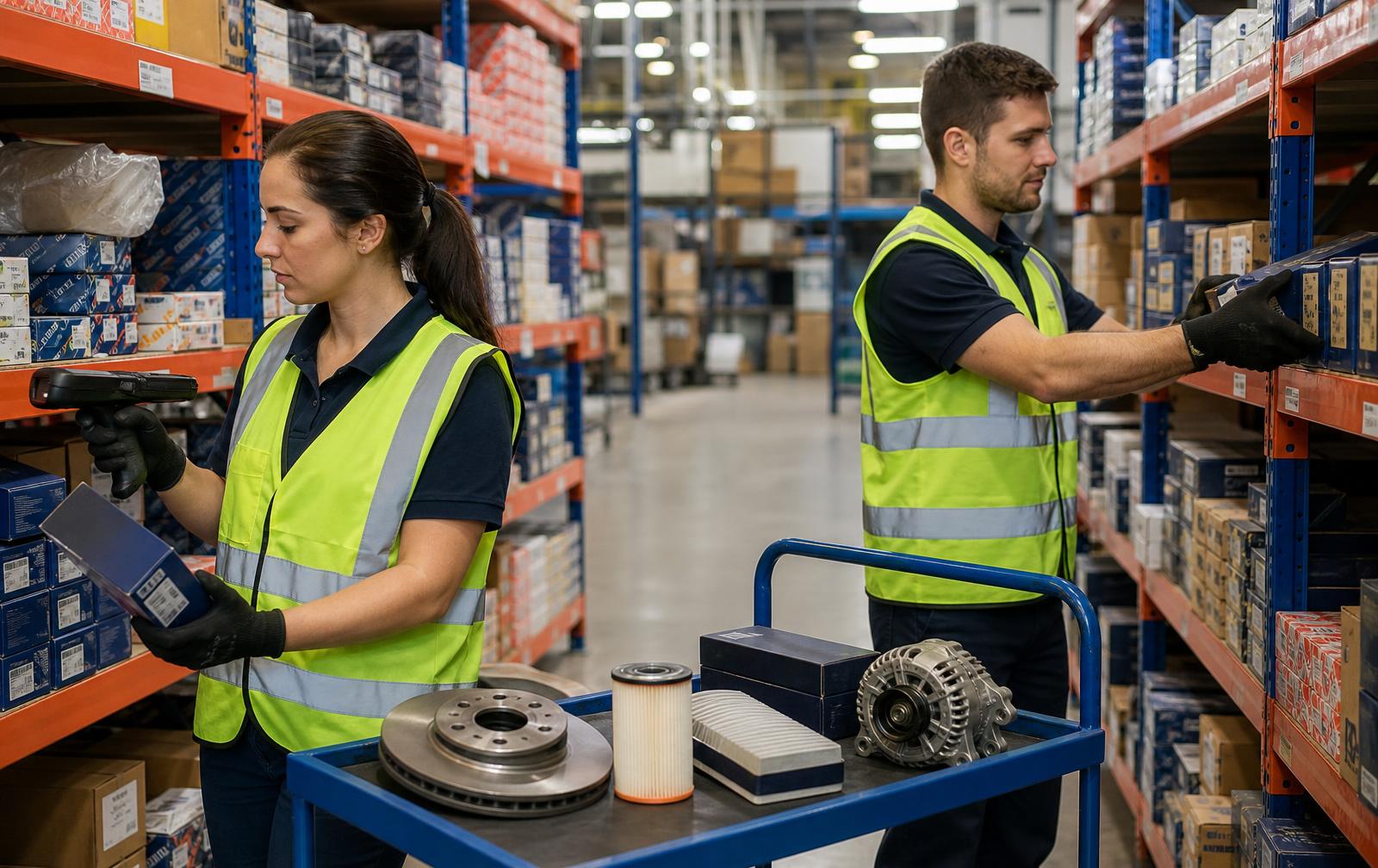
Automotive logistics handles many similar parts that must be traceable. A warehouse management system triggers replenishment and guides putaway, reads several serial numbers from one GS1 DataMatrix in a single scan, builds sets during picking or in advance, and records purchase orders so the warehouse knows what is arriving.

  • Replenishment triggered by the system, with guided putaway
  • Several serial numbers in one GS1 DataMatrix read in one scan
  • Sets built during picking or in advance, held as stock
  • Purchase orders recorded in the OMS, so the warehouse knows what is arriving

Needs of the AUTOMOTIVE INDUSTRY

Automotive stock is rarely a question of how much. It is a question of which part, which serial number and where: on a shelf in your warehouse, on a trolley beside a production line, inside a repair kit or in a customer's store room that you still own. Automotive inventory management is the discipline of keeping all of those answers correct at the same time, while deliveries run to a timetable that your customers set, not you.

This page is for parts suppliers, parts distributors and aftermarket wholesalers that run their own warehouse. It explains what automotive stock asks of a warehouse system and what BizBloqs does with each of those demands.
New to this topic? Start with the complete warehouse management system (WMS) guide — what a WMS does, what it costs and how a rollout works.

What automotive stock asks of a warehouse

Automotive warehouses often share the same pressure points:

  • Many part numbers that look alike. Two brackets that differ by a few millimetres, packed in the same grey box. A visual check is not good enough.
  • Serial numbers. For many parts, the customer wants to know exactly which unit went where.
  • Kits and repair sets. Several parts that must leave together, complete, every time.
  • Two kinds of demand on the same stock. A production line that must never stop, and aftermarket orders that arrive in small quantities all day.
  • Stock that is not in your building. Parts held at a customer's site, either still yours or theirs, which you are expected to keep at the right level.
  • Deliveries on the customer's clock. Delivery notes sent electronically before the truck arrives, and in some flows parts delivered in the exact order in which they will be fitted.

None of this is unusual for automotive. All of it is hard to do with a spreadsheet and an ERP stock module, because those record a quantity per item. They do not tell a picker which location to visit, which serial number to scan or which kit is still missing a part.

Parts and serial numbers

In BizBloqs, every pick is directed and confirmed. The scanner shows the location, the part and the quantity, and the picker scans the location and the part to confirm. If the part is wrong, the scan says so before the box is closed, not when the customer opens it. That is called scan verification.

The scanner reads the codes automotive parts actually carry: 1D barcodes, QR codes, GS1-128 and GS1 DataMatrix, including complex 2D codes in which several serial numbers are held in one code. A box of four sensors with four serial numbers in one label is one scan, not four. Every scan is recorded in the audit trail, with role-based access deciding who may do what.

The pick sequence can follow item properties such as weight, fragility or whether something can be stacked, so heavy parts go into the trolley first and fragile ones last.

Kits and repair sets

A kit that is assembled ad hoc on a packing table never reconciles: parts disappear from stock without a clear record of where they went. BizBloqs supports two ways of working:

  • Assembly to order. The kit is put together while the order is picked. The picker collects the components and the system records that they became one kit for that order.
  • Assembly to stock. Kits are built in advance and stored as their own item, with their own location and their own stock count.

Either way, the components are consumed and the finished kit exists as something you can count, pick and ship.

Feeding a production line

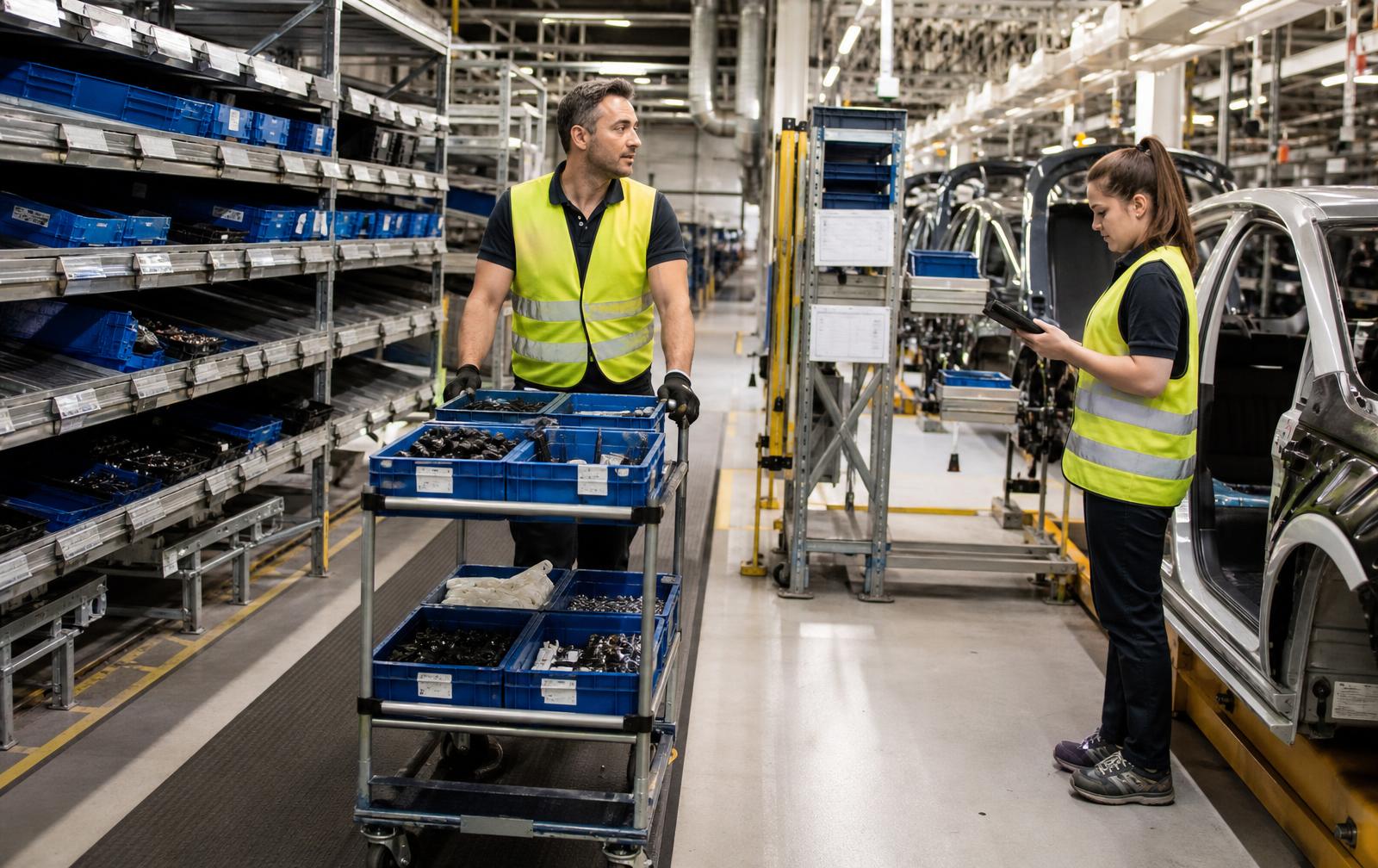
If you assemble or produce as well as distribute, the paid manufacturing module handles the logistics around production: moving and picking materials for production, step by step or as kits, recording consumption, receiving work in progress and finished goods, returning unused materials, quality control, waste and labels. Bills of materials are supported, and time can be registered per job. Moving material to the point of use in this way is called line feeding.

The module executes; it does not plan. Planning which job runs when stays in your ERP or planning software. The page on manufacturing businesses explains how that division works in practice.

Where a production line and aftermarket orders draw on the same stock, BizBloqs keeps stock availability per sales channel and a safety stock, so the quantity offered to one channel does not quietly eat the buffer another depends on. Some customers also want parts delivered in the exact order in which they will be fitted; that way of delivering is called Just-in-Sequence.

Stock at your customers' sites

Automotive suppliers often hold parts on the customer's premises. There are two common arrangements, and BizBloqs has a paid module for each.

You own the stock until it is used. With the consignment stock module, the parts stay yours until they are taken. Consumption is recorded by scanner, either by the customer or by your own representative, and only what was consumed is invoiced. That arrangement is called consignment stock.

Your customer owns the stock and you keep it filled. With the vendor managed inventory module, the stock belongs to your customer and you are responsible for keeping it at the right level. Your customer's staff scan stock in and out, with batch and expiry where that matters, and reorder levels tell you when to deliver. Expiry warnings and batch blocking are part of the module. This is called vendor managed inventory, or VMI.

In both cases, stock outside your building stops being invisible until the invoice.

Suppliers, customers and despatch

Many automotive customers exchange orders and delivery notes electronically. The paid EDI module processes EDI messages in BizBloqs' own flows, with the exchange itself running through the partner Transus. The despatch advice, the electronic delivery note known as a DESADV, is received from suppliers and sent to customers through the EDI partner. Stock messages are supported, and invoice messages when BizBloqs is linked with your ERP.

At despatch, BizBloqs generates SSCC labels for single-part and mixed pallets, so every pallet can be identified by its own number.

Orders and stock across channels and sites are handled in order management; the warehouse work itself in the warehouse management software.

Which level fits

Directed work, guided picking, the pick sequence and replenishment triggers, is part of every level. The automotive specifics on this page mostly sit in modules, and modules start at SME+: you add the ones you need, at a charge, plus their configuration. Wave picking and batch picking, allocation across several sites and stock replenishment between your own warehouses also start at SME+.

At Enterprise, all modules are included and you pay for their configuration. The MHE licence for connected automated equipment and the 3PL module are charged on top.

One site with standard connections goes live in 4 to 12 weeks. Several sites and EDI take longer; if EDI is part of your scope, plan for it.

Explore further

Want to see your own parts, kits and customer sites in the system? Book a demo.

Questions people ask

What is automotive inventory management?

It is the control of parts stock in the automotive supply chain: which part number and which serial number is where, which kit it went into, which customer or production line received it, and how much of your stock is held at customers' sites. A warehouse management system adds the direction of the work on top: which order is picked next, from which location, confirmed by a scan.

Can BizBloqs read serial numbers on automotive parts?

Yes. The scanner reads 1D barcodes, QR codes, GS1-128 and GS1 DataMatrix, including complex 2D codes that hold several serial numbers in one code. Every scan is recorded in the audit trail.

Can kits be assembled during picking?

Yes. BizBloqs supports assembly to order, where the kit is put together while the order is picked, and assembly to stock, where kits are built in advance and stored as their own item.

How does BizBloqs handle parts stock held at a customer's site?

Through two paid modules. With the consignment module, you own the stock until it is used, consumption is recorded by scanner and only what was consumed is invoiced. With the vendor managed inventory module, your customer owns the stock and you keep it at the right level, with reorder levels and batch and expiry recorded on every scan.

Does BizBloqs plan production for an automotive supplier?

No. The manufacturing module executes production logistics: moving and picking materials, consumption, receiving work in progress and finished goods, quality control, labels and time registration. Planning stays in your ERP or planning software.

What does BizBloqs cost for an automotive warehouse?

BizBloqs publishes no prices. Billing is monthly: a base licence per legal entity, a licence per scanner in use at the same time (the concurrent user), a licence per printer and per digital scale, the MHE licence if you connect automated equipment, and the modules you add. Depending on the package, an upfront investment may apply.

What Automotive operators run into

The problem
How BizBloqs solves it

Part numbers supersede each other and the old revision keeps getting picked

WMS

Revision-Aware Item Control

Superseded parts are blocked at pick and the valid revision is proposed in its place, so the wrong version never leaves the building

Serialised components cannot be traced back to the vehicle they went into

WMS

Serial-Level Traceability

Serials captured at receipt and carried through every movement, giving a two-way trace between supplier batch and delivered assembly

Aftermarket orders and OEM line-feed compete for the same stock

OMS

Channel Allocation Rules

Stock reserved by channel priority, so an aftermarket order can never consume the buffer protecting the production line

Kits and repair sets are assembled ad hoc and never reconcile

WMS

Kitting and Sub-Assembly

Kits built against a defined structure, consuming components and producing a countable finished item with its own stock record

Supplier deliveries arrive without usable advance notice

Integration

ASN and EDI Inbound

Advance shipping notices received electronically and reconciled against the physical receipt, with discrepancies logged automatically

Automotive — Warehouse & Order Requirements

Automotive — What the automotive sector actually demands of a warehouse, a 14-point capability checklist you score yourself, and the eight questions to ask every vendor — including us.

Download the guide

our Automotive Features

BizBloqs has implemented and optimized numerous features that are highly relevant to the automotive industry. We highlighted a few below.

Activity Monitoring

Record all activities and operations against equipment

Automated Kitting

Assemble kit items while picking for an efficient workflow

Inventory Cost Tracking

Record costs against inventory and generate invoices

QC and Product Inspection

Create custom inspection routines against set quality standards

Custom Reporting and Alerting

Set up custom dashboards and reports and triggers for email alerts

Record Production in Realtime

Manage product flows and work lean with order-driven production

Operations like yours already run on BizBloqs

Yamato Transport Europe — BizBloqs customer
Isband
Caressi — BizBloqs customer
KTC — BizBloqs customer
Probo — BizBloqs customer
Neeltje Jans — BizBloqs customer
NL Pharma — BizBloqs customer
iXXXi — BizBloqs customer

Put a number on it

Work out what your current process costs and how much of it you could save, on your own figures. No email wall — the result appears as you type.

Open the ROI calculator

Match it to how you operate

Automotive in your operating model

The compliance and commercial detail above is the same for everyone in automotive. What changes is how you run: production, fulfilment, wholesale or third-party logistics. Pick your operating model to see the process fit.

Hear directly from our customers

Why take our word for it? We let our customers convince you instead. BizBloqs customers are happy with their solutions and don’t hesitate to share their positive experiences. Our ability to turn any challenge into an efficient solution never fails to impress!

Caressi

Caressi logo
Five star rating

BizBloqs was one of the first to provide a WMS with scanning capabilities and we started a journey together. Our operations have gotten a lot more complex, advanced and especially bigger over the past 5 years and we have simply grown together.

Nick Bisselink, Financial/Operational Director

Lantaarn

Lantaarn logo
Five star rating

When we had extensive logistic requirements beyond the capabilities of our financial solution, BizBloqs shared its expertise to transform Lantaarn’s entire warehouse experience together

Lantaarn Publishers

Fairplant

Fairplant logo
Five star rating

We needed a better, more transparent and practical system for our incoming and outgoing product flow. A direct overview in our stock and all our logistics movements was really a must. BizBloqs helped us from the start!

Rik Klein - Sales manager

Neeltje Jans

Neeltje Jans logo
Five star rating

In addition to a scan procedure with EDI integration, BizBloqs has set up an entire production system for us. Production planning can provide direct instructions and as soon as they are ready, it all arrives in the OMS. This gives us a larger production capacity and a drastic reduction of the picking mistakes in dispatching.

Reinier Schot, Head of Production

Three ways to take this further

Automotive — Pick whichever suits where you are. All three land with the same team.

Plan a demo

Thirty minutes on your own processes. No slide deck, no sales script.

Book a demo

Send us your question

One specific question about your operation, answered by someone who has run it.

Ask a question

Download the guide

Automotive — Warehouse & Order Requirements

Get the PDF

Two questions about your own operation

Book a demo